






Graphic Design Fundamentals
Hands-on 2.5-month graphic design training in Photoshop, Illustrator, InDesign, Figma, and Canva — master design principles, branding, and AI-assisted workflows, and graduate with a job-ready portfolio.
Rs. 15,000
Rs. 25,000Access
mobile and TV
Completion
Course Overview
Course Overview
Learn the core skills and fundamentals of visual communication using the latest digital tools. Our hands-on course covers design theory, industry-standard software, project-based learning, client communication, portfolio creation, and insider industry knowledge—everything you need to become a professional designer.
Whether you’re aiming to work in computer graphics, multimedia, or web design, this career-focused training equips you with both practical skills and theoretical knowledge to succeed in a competitive creative world. From developing a strong design process to crafting stunning portfolios that showcase your unique style, Mystic Academy ensures you’re industry-ready.
Leap into a creative career and start designing visuals that impress, influence, and inspire!
Your Learning Journey
Our curriculum is carefully researched, developed, and continuously updated to align with global trends and industry demands. Led by industry-expert instructors, the program delivers over 85% hands-on, practical learning, supported by essential theoretical foundations to ensure you gain real-world skills and job-ready expertise.
Skills you’ll learn
Adobe Photoshop & Illustrator: Create and edit professional visuals.
Layout & Composition: Arrange elements for clarity and impact.
Typography & Color Theory: Convey brand identity and mood effectively.
Bring your websites to life with basic JavaScript interactivity
Branding & Marketing Design: Develop cohesive visual identities.
Hands-on 2.5-month graphic design training in Photoshop, Illustrator, InDesign, Figma, and Canva — master design principles, branding, and AI-assisted workflows, and graduate with a job-ready portfolio.
Your Learning Journey
Our curriculum is researched, developed & updated by understanding the global scope & job demands. Conducted by industry-leading expert instructors, the program offers more than 85% of an in-depth practical approach backed by essential theoretical frameworks.
Everything You Receive
Live classes
Live classes and streaming
Recorded Videos
Get our streamed video
Certificate
Verified
Internship
Real-world experience
Course Curriculum
- What is Graphic Design
- Types of Graphics (Raster vs Vector)y
- Design Principles (Balance, Contrast, Hierarchy)
- Typography Basics
- Color Theory & Color Systems
- Design Lifecycle
Weekly Project:
- Typography-based poster design
Basics
- Interface & Workspace
- Tools Overview
- Layers & Layer Management
Image Editing & Adjustment
- Hue/Saturation, Vibrance
- Black & White Conversion
- Levels & Color Correction
- Dodge & Burn
Retouching
- Spot Healing
- Red Eye Removal
- Skin Retouching
- Spot Healing, Red Eye Removal
- Teeth & Eye Enhancement
Selection & Masking
- Remove Background
- Image Manipulation
- Text Behind Object
- Image Inside Text
Effects & Design
- Gradient, Stroke, Bevel
- Drop Shadow & Long Shadow
- Blending Modes
- Filters (Blur, Motion, Lens Flare)
Advanced
- Content Aware Fill
- Liquify Tool
- Advanced Selection
Projects
- Product Color Variations
- Background Removal
- Poster Design
- Social Media Post
- Photo Manipulation
Weekly Projects (Each Week):
- Week 2: Image correction
- Week 3: Retouching
- Week 4: Manipulation
- Week 5: Ad / Social post
- 📅 Duration: Week 6–7
📌 Basics
- Workspace & Tools
- Artboards
Drawing & Design
- Shapes & Pen Tool
- Logo Design
- Icon Design
- Illustration (Floral, Animal, Human)
Typography
- Text Effects
- Custom Typography
Advanced
- Patterns & Brushes
- 3D Effects
- Blending
Projects
- Logo Design
- Social Media Graphics
- Poster Design
Weekly Projects:
- Week 6: Logo Design
- Week 7: Poster / Social Creative
- 📅 Duration: Week 8
Basics
- Interface & Tools
- Pages & Layouts
Advanced
- Book Layout
- Magazine Design
- Data Merge
Project
- Book Cover Design
- Magazine Layout
- Data Merge
Weekly Project:
- Magazine or book cover
Duration: Week 9 (Part)
- Introduction to UI/UX
- Exporting assets
- Collaboration & Sharing
- Prototype
- Typography
- Shapes & Drawing tools
- Frames & Canvas
- Wireframing & Prototyping
- Basic App/Website Layout
- Prompt engineering
- Integrated AI tools in software
- AI image creation using different AI models like Firefly, Gemini, ChatGPT
- Pros & cons of using AI in graphic design
- 📅 Duration: Week 10
- Creating account
- Exploring the interface
- File creation
- Templates
- Elements
- Typography
- Working with images
- Working with images
- Working with images
- Social Media Design
- Quick Branding
- File Formats (PNG, JPG, PDF)
- Print vs Digital Design
- Packaging Files
- Portfolio Creation
- Freelancing Basics
- Client Handling
- Resource Websites (Free Images, Fonts)
Full Branding Project
- Logo Design
- Social Media Posts
- Poster Design
- Mockup Presentation
FAQs
Mystic Academy offers IT training programs in Web Development, Graphic Design, and Basic Computer & MS Office at our institute in Kathmandu. All courses are open to students, professionals, and complete beginners — no prior experience needed.
Yes. Mystic Academy in Kathmandu welcomes learners of all backgrounds — students, working professionals, and career-changers — even with zero prior IT knowledge. Our courses range from beginner to advanced levels, so there is no technical background required to get started. During the free counseling session at our Kathmandu office, our team will assess your current level, interests, and goals to help you choose the most suitable course.
The duration varies by course. Most programs at Mystic Academy in Kathmandu are designed to be completed within 1 to 3 months — making them ideal for students on a break, professionals with a busy schedule, or anyone looking to gain a job-ready skill quickly.
You can enroll at Mystic Academy by sending your details via the inquiry form above, or by visiting our office at Falfulchowk, Sorakhutteu, Kathmandu. The enrollment process is simple — fill out a form and pay the advance fee. Our team will guide you through everything from there.
Completing IT training at Mystic Academy in Kathmandu gives you practical, hands-on skills that complement further studies in Computer Science or Information Technology — and provide a direct career advantage in Nepal's growing tech industry. Whether you are a student continuing to higher education or a professional switching careers, the skills you build here translate directly to real-world results.
A certificate from Mystic Academy in Kathmandu carries real weight in Nepal's IT job market. Our certifications are verifiable and recognized by industry partners both locally and internationally. Whether you are applying for a job in Nepal or abroad, your Mystic Academy certificate validates the practical skills and real-world projects you completed during your training.
Absolutely. At Mystic Academy in Kathmandu, anyone can start learning basic IT and AI skills from scratch — no prior knowledge or technical background needed. Our instructors guide every learner step by step from the very beginning.
At Mystic Academy in Kathmandu, we recommend all new learners start with: Computer Basics, Programming fundamentals (Python is most common for AI), Basic math and logic, and Internet and digital tools. Our beginner courses in Nepal are structured to build these foundations from scratch — regardless of your age or background.
You can start with basic programming, data handling, problem solving, and understanding how AI tools work.
Technology is everywhere. IT and AI skills help anyone — regardless of age or background — get better jobs, work remotely, and build solutions for real problems. For learners in Nepal, these skills open doors to both local opportunities and international careers.
Available Batches
Coming Soon
We're currently scheduling new batches. Stay tuned!
FAQs
Mystic Academy offers IT training programs in Web Development, Graphic Design, and Basic Computer & MS Office at our institute in Kathmandu. All courses are open to students, professionals, and complete beginners — no prior experience needed.
Yes. Mystic Academy in Kathmandu welcomes learners of all backgrounds — students, working professionals, and career-changers — even with zero prior IT knowledge. Our courses range from beginner to advanced levels, so there is no technical background required to get started. During the free counseling session at our Kathmandu office, our team will assess your current level, interests, and goals to help you choose the most suitable course.
The duration varies by course. Most programs at Mystic Academy in Kathmandu are designed to be completed within 1 to 3 months — making them ideal for students on a break, professionals with a busy schedule, or anyone looking to gain a job-ready skill quickly.
You can enroll at Mystic Academy by sending your details via the inquiry form above, or by visiting our office at Falfulchowk, Sorakhutteu, Kathmandu. The enrollment process is simple — fill out a form and pay the advance fee. Our team will guide you through everything from there.
Completing IT training at Mystic Academy in Kathmandu gives you practical, hands-on skills that complement further studies in Computer Science or Information Technology — and provide a direct career advantage in Nepal's growing tech industry. Whether you are a student continuing to higher education or a professional switching careers, the skills you build here translate directly to real-world results.
A certificate from Mystic Academy in Kathmandu carries real weight in Nepal's IT job market. Our certifications are verifiable and recognized by industry partners both locally and internationally. Whether you are applying for a job in Nepal or abroad, your Mystic Academy certificate validates the practical skills and real-world projects you completed during your training.
Absolutely. At Mystic Academy in Kathmandu, anyone can start learning basic IT and AI skills from scratch — no prior knowledge or technical background needed. Our instructors guide every learner step by step from the very beginning.
At Mystic Academy in Kathmandu, we recommend all new learners start with: Computer Basics, Programming fundamentals (Python is most common for AI), Basic math and logic, and Internet and digital tools. Our beginner courses in Nepal are structured to build these foundations from scratch — regardless of your age or background.
You can start with basic programming, data handling, problem solving, and understanding how AI tools work.
Technology is everywhere. IT and AI skills help anyone — regardless of age or background — get better jobs, work remotely, and build solutions for real problems. For learners in Nepal, these skills open doors to both local opportunities and international careers.
Available Batches
Coming Soon
We're currently scheduling new batches. Stay tuned!
Locate us
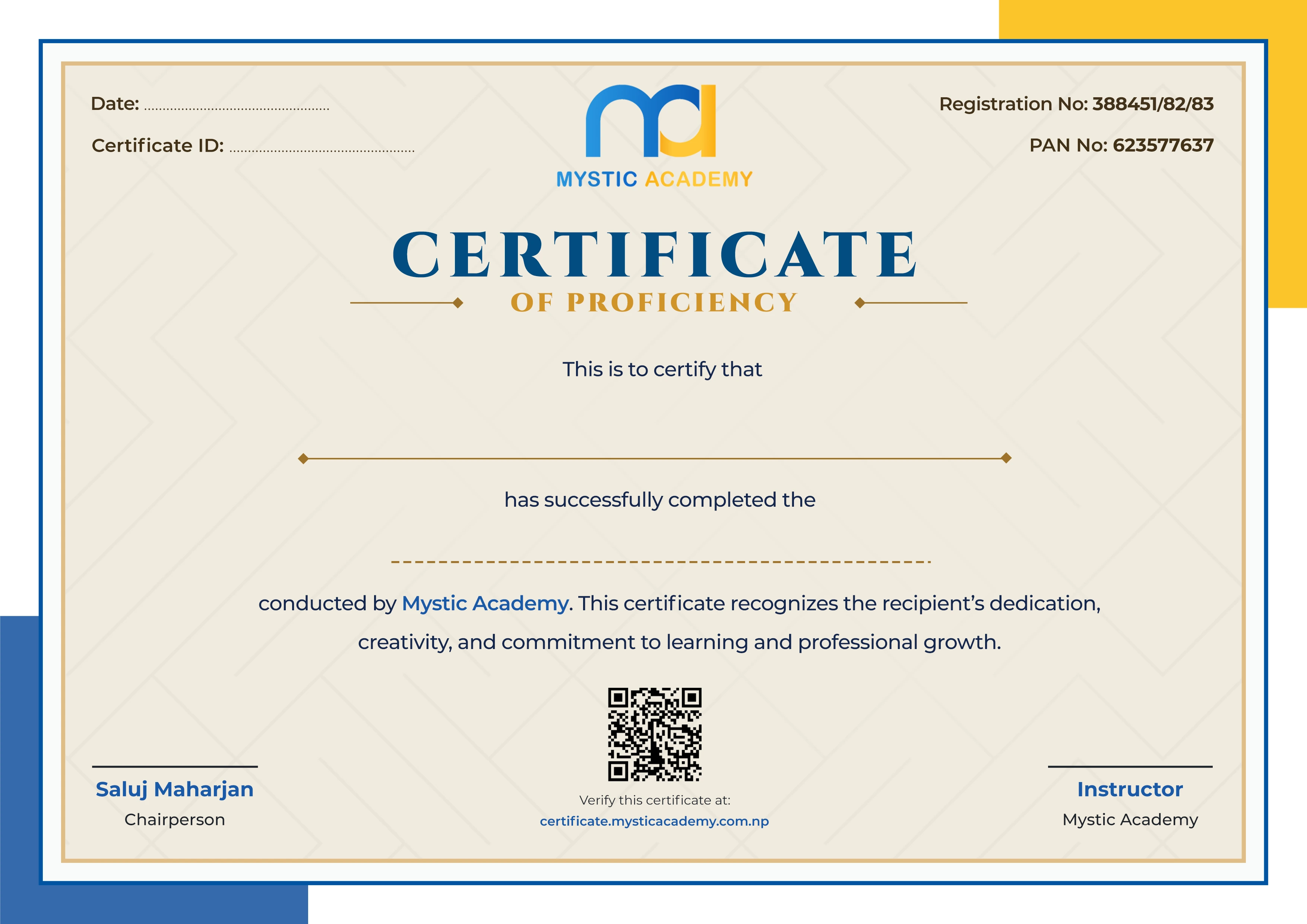
Earn a Certificate on completion
Upgrade your skill and get verified certificates that are recognized by top companies. These certificates help you showcase your expertise and enhance your professional profile.
Already earned a certificate? Verify it here

Quick Inquiry
Choose Class Schedules :
Notification
Message goes here.